 Manvith Reddy Dayam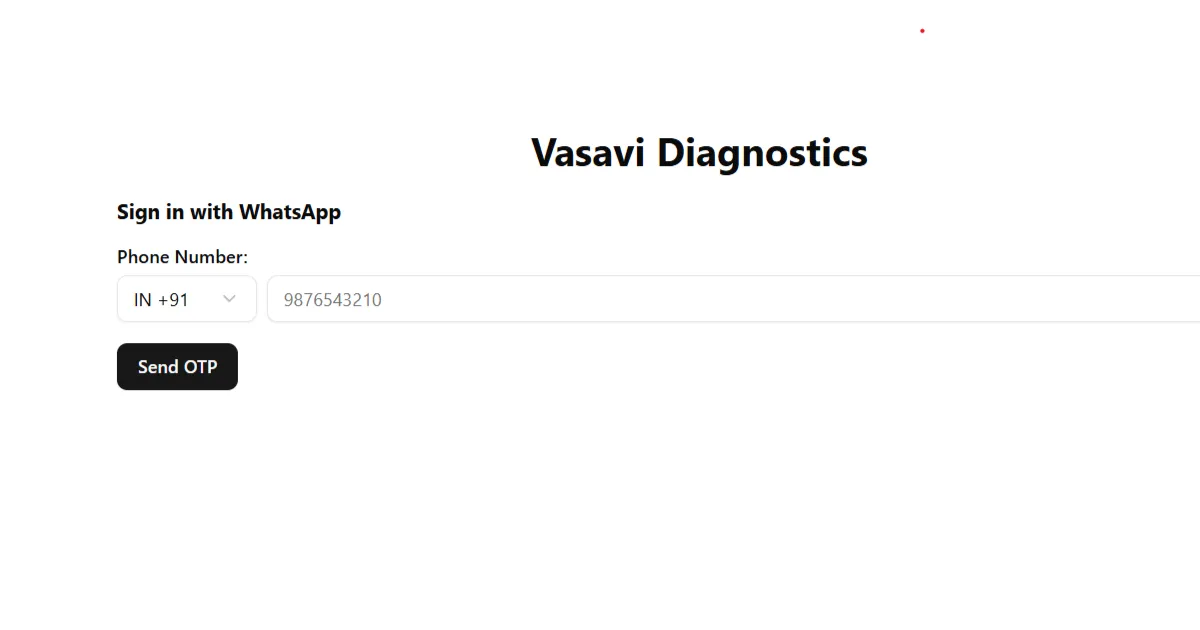
Task
Vasavi Diagnostics is a pathology lab that produces test reports by hand. The task was to build an internal admin panel that lab staff can use to (1) enter patient details and marker values for a diagnostic test, (2) browse and search previously entered reports, and (3) generate a printable PDF that matches the letterhead the lab already uses, so the output is indistinguishable from what patients receive today. The scope is deliberately narrow: this is a staff-facing tool behind a login, not a patient portal. There is no public sign-up, no billing, and no appointment booking.
Stack
- Next.js 15 (App Router, React 19, Turbopack for dev and build)
- TypeScript throughout
- Tailwind CSS v4 with shadcn/ui primitives built on Radix (dialog, popover, select, command, dropdown)
- Prisma 6 ORM against PostgreSQL
- NextAuth v4 with a credentials provider, enforced globally through middleware
- Puppeteer for server-side HTML to PDF rendering
react-hook-formandzodare installed for validation as the forms are wired to the database
Application Structure
app/
layout.tsx # root layout, mounts the Navbar on every page
page.tsx # "New Report" — the data entry form
reports/page.tsx # searchable list of reports
reports/[id]/page.tsx # single report detail view
api/auth/[...nextauth]/ # NextAuth route handler + provider options
api/generate-pdf/route.ts # Puppeteer PDF endpoint
components/
Navbar.tsx # server component, reads the session
medical-reports-form.tsx # the report entry form
ReportsPDF.tsx # React version of the printable layout
ui/ # shadcn primitives
lib/
prisma.ts # singleton Prisma client
prisma/
schema.prisma # data model
migrations/ # initial migration
middleware.ts # auth gate for the whole appThree routes make up the whole surface area: / for creating a report, /reports for finding one, and
/reports/[id] for reading it and downloading the PDF. The navbar is a server component that calls
getServerSession directly, so the signed-in user’s name is rendered on the server without a client
round trip.
Data Model
The schema is designed around the fact that a lab test is a template and a result is an instance of that template. Rather than storing a report as a blob of JSON, tests and markers are normalized so that adding a new test panel is a data change, not a code change.
model User {
id String @id @default(cuid())
name String
email String? @unique
phone String?
createdAt DateTime @default(now())
updatedAt DateTime @updatedAt
testResults TestResult[]
}
model AdminUser {
id String @id @default(cuid())
name String
email String @unique
password String
lastLoginAt DateTime?
enteredResults TestResult[] // every result this technician keyed in
}
model TestType {
id String @id @default(cuid())
name String @unique // e.g. "Complete Blood Count"
description String?
testResults TestResult[]
}
model TestResult {
id String @id @default(cuid())
userId String
user User @relation(fields: [userId], references: [id])
testTypeId String
testType TestType @relation(fields: [testTypeId], references: [id])
performedAt DateTime @default(now())
markerResults MarkerResult[]
labTechnicianId String?
labTechnician AdminUser? @relation(fields: [labTechnicianId], references: [id])
}
model MarkerType {
id String @id @default(cuid())
name String @unique // e.g. "Hemoglobin"
unit String // e.g. "g/dL"
markerResults MarkerResult[]
}
model MarkerResult {
id String @id @default(cuid())
value String
testResultId String
testResult TestResult @relation(fields: [testResultId], references: [id])
markerTypeId String
markerType MarkerType @relation(fields: [markerTypeId], references: [id])
}Design decisions worth noting:
- Patients (
User) and staff (AdminUser) are separate tables. A patient never logs in, so giving them a password column would be dead weight and a liability. Staff credentials live only onAdminUser. MarkerResult.valueis aString, not aFloat. Lab values are not always numbers — results come back as"< 0.1","Not Detected", or"Trace". Storing the raw string keeps the record faithful and pushes parsing to the presentation layer where the context is known.labTechnicianis nullable and links back toAdminUser, giving a basic audit trail of who entered each result without a full audit-log table.- Units live on
MarkerType, not onMarkerResult. The unit is a property of the measurement itself, so it cannot drift between two records of the same marker. The Prisma client is instantiated as a module-level singleton, cached onglobalThisin development so hot reloads do not exhaust the connection pool.
import { PrismaClient } from "@prisma/client";
declare global {
var prisma: PrismaClient | undefined;
}
export const prisma = globalThis.prisma || new PrismaClient();
if (process.env.NODE_ENV !== "production") {
globalThis.prisma = prisma;
}Report Entry Form
The entry form is driven by a test-type catalogue. Picking a panel from a searchable combobox reveals exactly the markers that belong to it, each input pre-labelled with its unit and reference range so the technician does not have to remember them.
interface TestMarker {
name: string
unit: string
normalRange: string
}
interface TestType {
id: string
name: string
markers: TestMarker[]
}
const testTypes: TestType[] = [
{
id: "blood-chemistry",
name: "Blood Chemistry Panel",
markers: [
{ name: "Glucose", unit: "mg/dL", normalRange: "70-100" },
{ name: "Cholesterol Total", unit: "mg/dL", normalRange: "<200" },
{ name: "HDL Cholesterol", unit: "mg/dL", normalRange: ">40" },
{ name: "LDL Cholesterol", unit: "mg/dL", normalRange: "<100" },
{ name: "Triglycerides", unit: "mg/dL", normalRange: "<150" },
],
},
// liver-function, kidney-function, thyroid-function, complete-blood-count ...
]
export function MedicalReportsForm() {
const [selectedTest, setSelectedTest] = useState<TestType | null>(null)
const [markerValues, setMarkerValues] = useState<Record<string, string>>({})
const handleTestSelection = (testId: string) => {
const test = testTypes.find((t) => t.id === testId)
setSelectedTest(test || null)
setMarkerValues({}) // stale values from the previous panel are dropped
setTestDropdownOpen(false)
}
const handleMarkerChange = (markerName: string, value: string) => {
setMarkerValues((prev) => ({ ...prev, [markerName]: value }))
}
// ...
}The marker section renders conditionally on selectedTest, so the form stays short until a panel is
chosen. Switching panels clears markerValues outright — carrying a Glucose reading over into a Thyroid
panel would be a silent data-integrity bug, so the reset is unconditional.
Five panels are currently catalogued: Blood Chemistry, Liver Function, Kidney Function, Thyroid Function,
and Complete Blood Count.
PDF Generation
The lab’s existing reports are printed on a scanned letterhead, and the digital version had to match it
closely enough that patients would not notice a difference. Two approaches were tried.
Approach 1 — client-side capture. ReportsPDF.tsx renders the report as a React component positioned
off-screen (absolute -left-[9999px]) at exact A4 dimensions (w-[210mm] h-[297mm]), intended to be
captured to canvas and exported. This keeps the layout in JSX where it is easy to edit, but screenshot-based
capture produces raster output — the text is not selectable, fonts render inconsistently across browsers,
and file sizes balloon.
Approach 2 — server-side Puppeteer (chosen). A route handler builds the report HTML as a string,
inlines the letterhead as a base64 data URI, and has headless Chromium print it to A4. The output is real
vector PDF with selectable text, and it renders identically regardless of the client’s browser.
export async function GET(request: NextRequest) {
const { searchParams } = new URL(request.url)
const id = searchParams.get("id")
if (!id) return new NextResponse("Report ID is required", { status: 400 })
const report = mockDetailedReports[id]
if (!report) return new NextResponse("Report not found", { status: 404 })
// The letterhead is inlined so Chromium never has to resolve a network URL,
// which would race with the PDF snapshot.
const imagePath = path.resolve(process.cwd(), "public", "vasavi-diagnostics-header.png")
const headerImageBase64 = `data:image/png;base64,${fs.readFileSync(imagePath, "base64")}`
const html = getReportHTML(report, headerImageBase64)
let browser
try {
browser = await puppeteer.launch({ headless: true })
const page = await browser.newPage()
await page.setContent(html, { waitUntil: "networkidle0" })
const pdfBuffer = await page.pdf({
format: "A4",
printBackground: true,
margin: { top: "20px", right: "20px", bottom: "20px", left: "20px" },
})
await browser.close()
return new NextResponse(new ReadableStream({
start(controller) {
controller.enqueue(pdfBuffer)
controller.close()
}
}), {
headers: {
"Content-Type": "application/pdf",
"Content-Disposition": `attachment; filename="report-${report.id}.pdf"`,
},
})
} catch (error) {
console.error("Failed to generate PDF:", error)
if (browser) await browser.close()
return new NextResponse("Failed to generate PDF", { status: 500 })
}
}Details that mattered:
- The header image is base64-inlined rather than referenced by URL. Chromium loading it over the network introduces a race against the PDF snapshot, and on a deployed instance the route may not be able to reach its own public assets at all.
waitUntil: "networkidle0"ensures layout has settled before the page is printed.- The browser is closed in both the success and error paths. A leaked Chromium process on a serverless host is an out-of-memory failure a few requests later.
- The response streams the buffer and sets
Content-Disposition: attachment, so the download is triggered by a plain link (<Link href={/api/generate-pdf?id=...} target="_blank">) rather than client-side blob juggling. The stockpuppeteerpackage bundles a full Chromium binary, which exceeds the bundle limits on most serverless platforms. Migrating to@sparticuz/chromiumwithpuppeteer-coreis the deployment fix, and is in progress.
Authentication
Auth is handled with NextAuth’s credentials provider, and the gate is applied at the edge rather than per-page:
// Without a defined matcher, this one line applies next-auth
// to the entire project
export { default } from "next-auth/middleware"
// To scope it to specific routes instead:
// export const config = { matcher: ["/extra", "/dashboard"] }Protecting everything by default and opting routes out is the safer posture for an internal tool — a new
page added later is protected automatically, whereas an allow-list would leave it exposed until someone
remembers to update the matcher.
The credentials provider currently validates against a hardcoded user object. Replacing that check with a
lookup against AdminUser plus a bcrypt comparison, and stamping lastLoginAt, is the remaining work
before this is production-usable.
Current State
The UI is complete and the data model is migrated, but the pages still read from in-memory mock data rather than from Postgres. What works end to end today:
- Login gate across the entire app
- Report entry form with panel-driven marker fields
- Report list with live client-side search across patient name, report ID, test type, and doctor
- Report detail view with per-marker normal/high/low status badges
- One-click PDF download rendering the real letterhead What is stubbed:
- Report list and detail pages read from
mockReports/mockDetailedReportsconstants - The PDF route looks up the same mock map instead of querying by ID
- Form submission logs to the console instead of writing a
TestResult - The credentials provider compares against a hardcoded user The gap is deliberate — the interface and the print output were built first, since those are what the lab staff actually judged the tool on. The Prisma layer is designed against the finished UI rather than the other way around.
Future
- Wire the pages to Prisma. Replace the mock maps with
TestResultqueries that includeuser,testType, andmarkerResultswith theirmarkerTyperelations. - Real admin authentication —
AdminUserlookup, bcrypt password hashing,lastLoginAttracking. - Move
@sparticuz/chromiuminto the PDF route so the endpoint runs within serverless bundle limits. - Derive normal/high/low status from the database rather than storing it alongside the value. Reference
ranges belong on
MarkerType(ideally varying by age and sex), with status computed at render time. - Server-side search and pagination on
/reports. Filtering the full list in the browser is fine for four rows and untenable for four thousand. - Move the test catalogue into the database.
testTypesis currently a constant in the form component, which means adding a panel requires a deploy — theTestTypeandMarkerTypetables already exist to hold it. - Zod validation on submission using the
react-hook-formandzoddependencies already installed. - Patient history view — every report for a given
User, with markers trended over time.